Wednesday, 26 March 2014

DIY ~ How To Make a Bare Stem Rustic Wedding Bouquet


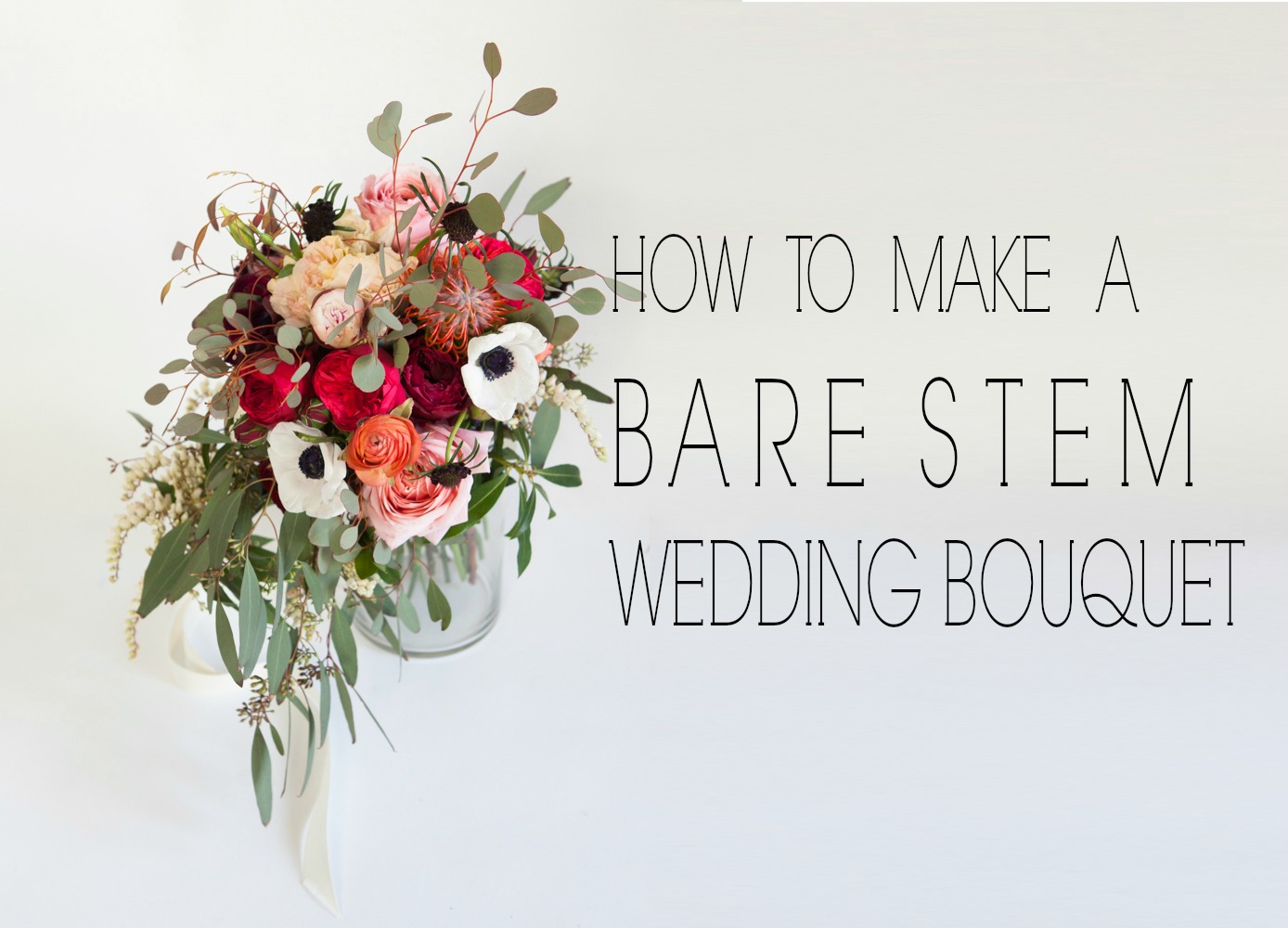
How to Make a Bare Stem Wedding Bouquet
We love the look of a bare stem wedding bouquet!  It really allows the flowers to pop and have a strong presence and it is a great option whether you are using bold flowers or minimalist flowers. Today we have put together a rustic wedding bouquet that makes our eyes so happy! If you are making your own bouquet, you get to pick everything you want and we suggest going stem by stem like we did to end up with the perfect arrangement.  Happy arranging!


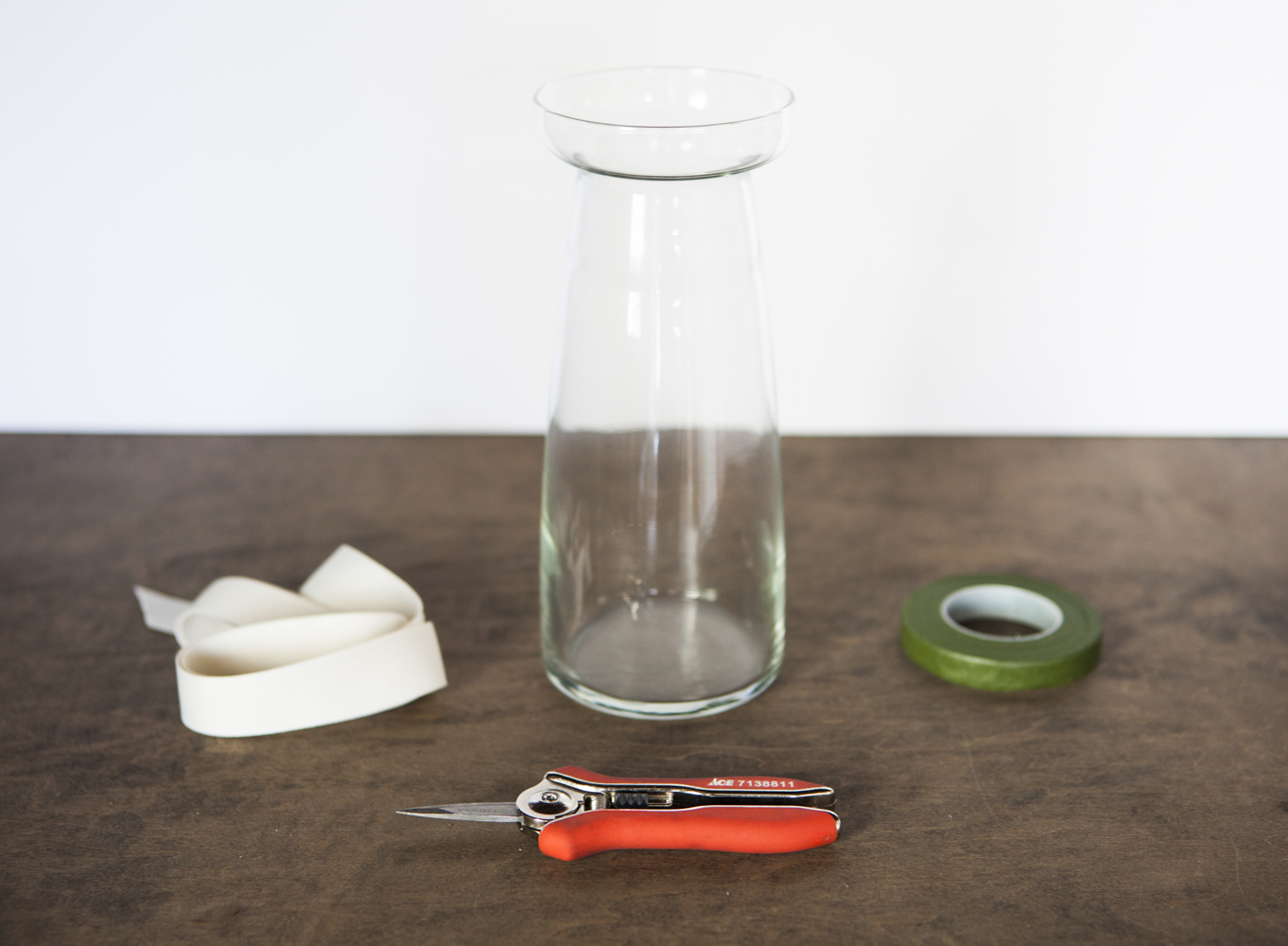
What we used :  Tall Glass Vase / Clippers / Floral Tape / Ribbon / Boutonniere Pin / Lots of Flowers
Bare Stem Rustic Wedding Bouquet Tutorial
Rustic Wedding Bouquet Ingredients
Start by filling your vase with a few inches of water so that the fresh cut stems will be happy while you work!  It is best to use a vase that has an opening that is about the same width as you want your bouquet handle to be. That way you can use it as a guide as you go.
How to Make a Bare Stem Wedding Bouquet
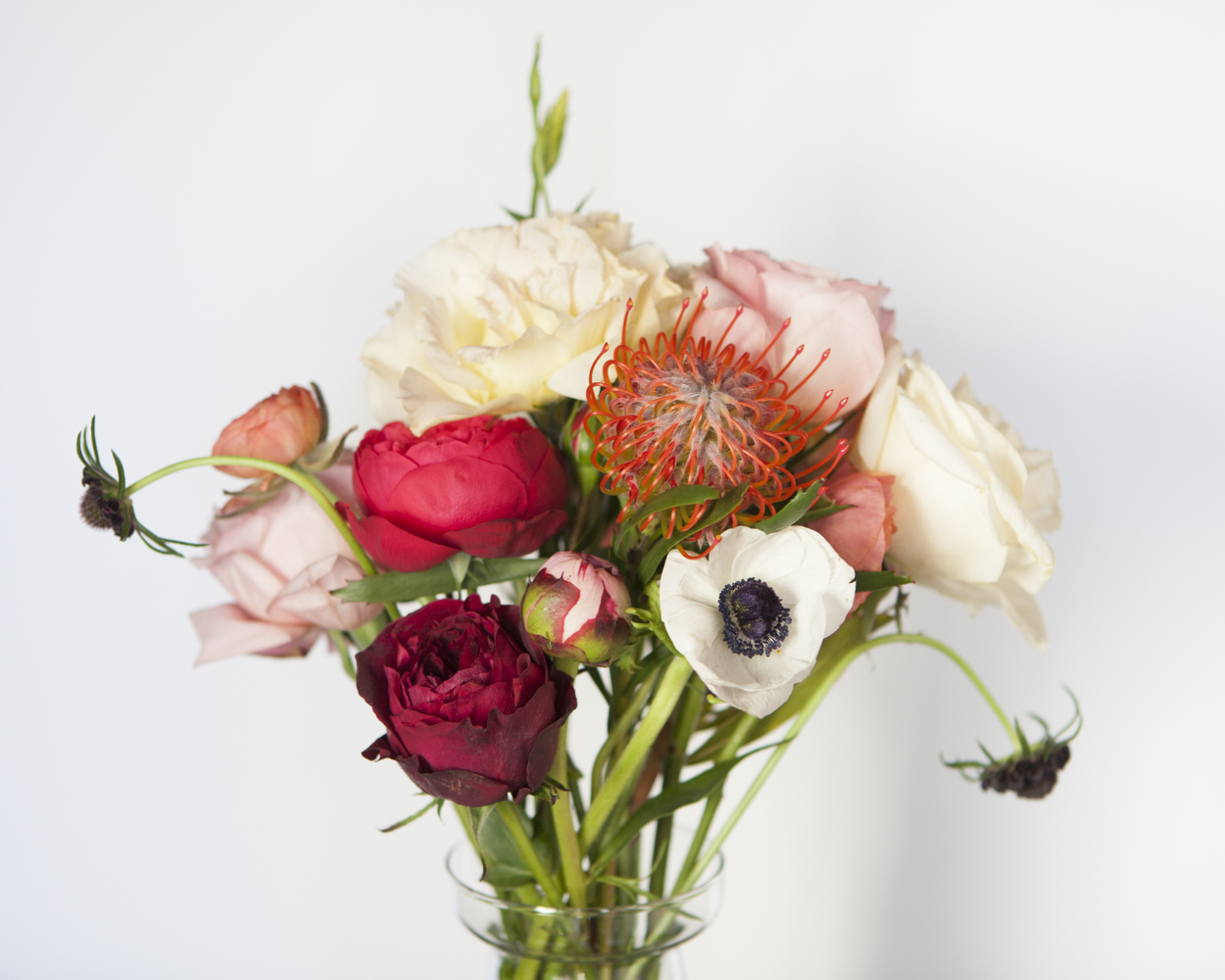
Then, starting with your base flowers, trim all leaves from each stem as you go.  Add your base flowers one by one to your vase.   You may want to lead extra length on the stems so that you have room to trim them later.
Bare Stem Rustic Wedding Bouquet Tutorial
Once you have added some of your base flowers with clean stems, you can start adding in your interest pieces.
How to Make a Bare Stem Wedding Bouquet
Fill in the spaces as you go, turning the vase to get an ideas of how it looks from all sides as you add stems and move them around.   You may want to trim stems once the vase starts to fill up so that the heights are correct.
How to Make a Bare Stem Wedding Bouquet
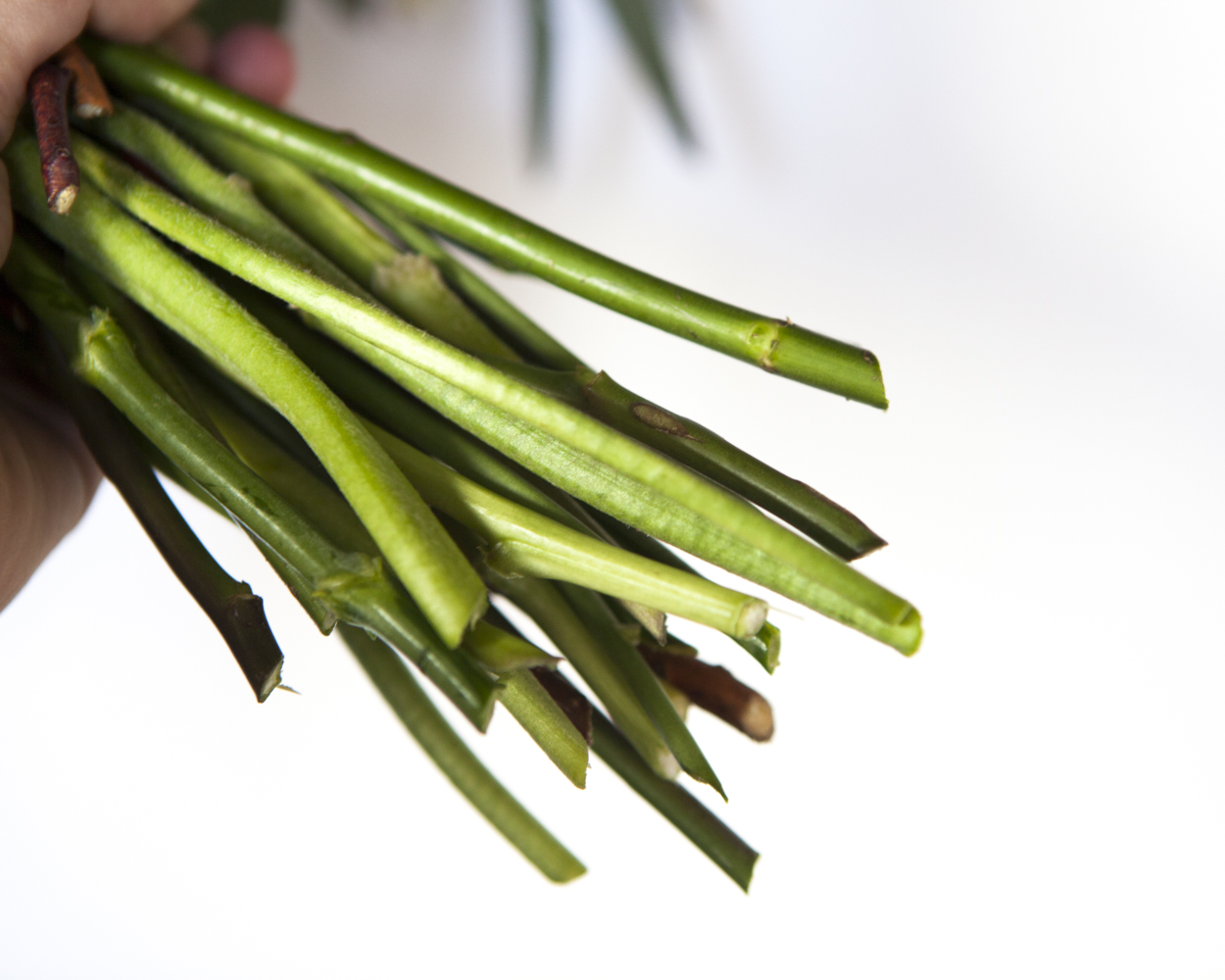
Once you get it to a place where you love the arrangements of all of the stems, grasp them stems and lift the flowers out of the vase.  Holidng the flowers tightly, trim the stems to the same length.
Bare Stem Rustic Wedding Bouquet Tutorial
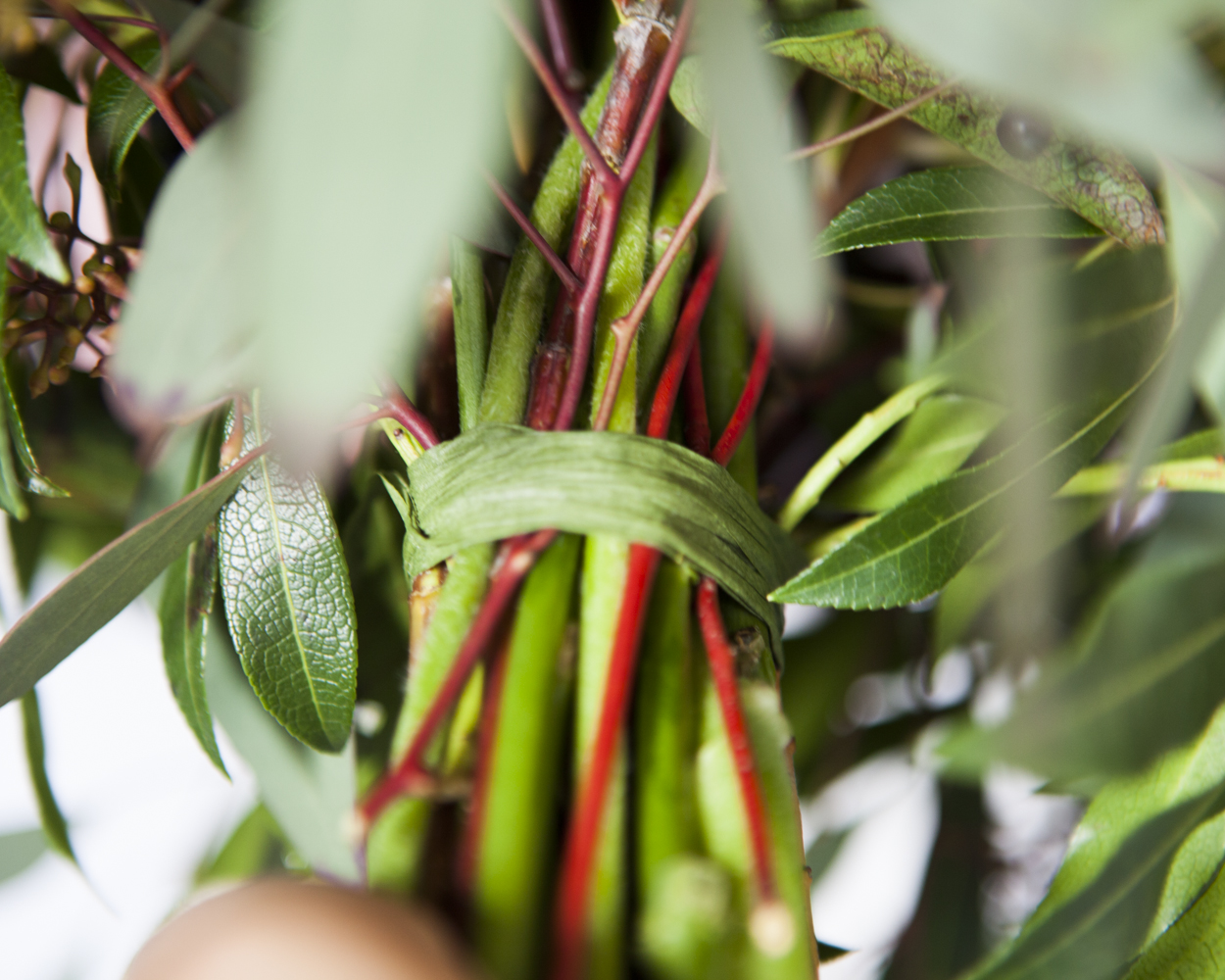
Then, take the floral tape and wrap the base of the stems very tightly multiple times.  Make sure all of them stems feel secure.
Bare Stem Rustic Wedding Bouquet Tutorial
Once the stems are secure, return the bouquet to the vase and add greenery and final flourishes like berries.  To do this, slip the stems under the floral tape.  This will add to the security of the bouquet by making the tape extra tight.
How to Make a Bare Stem Wedding Bouquet
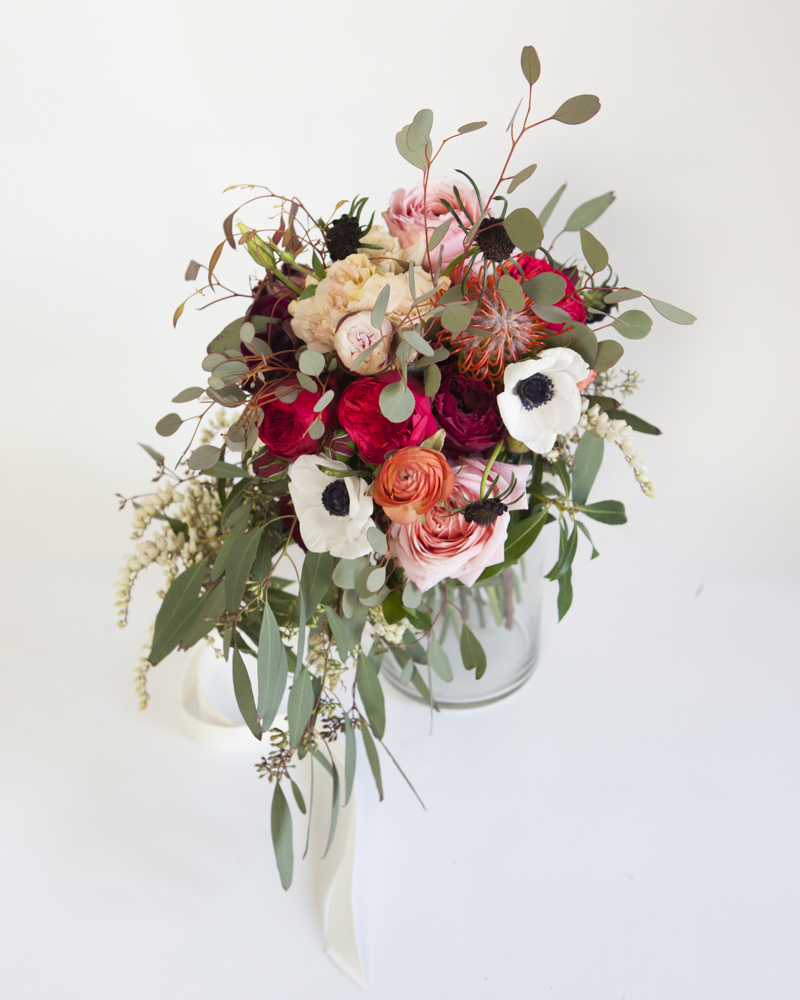
We added some large pieces of eucalyptus at the end to give our bouquet a rustic feel.
How to Make a Bare Stem Wedding Bouquet
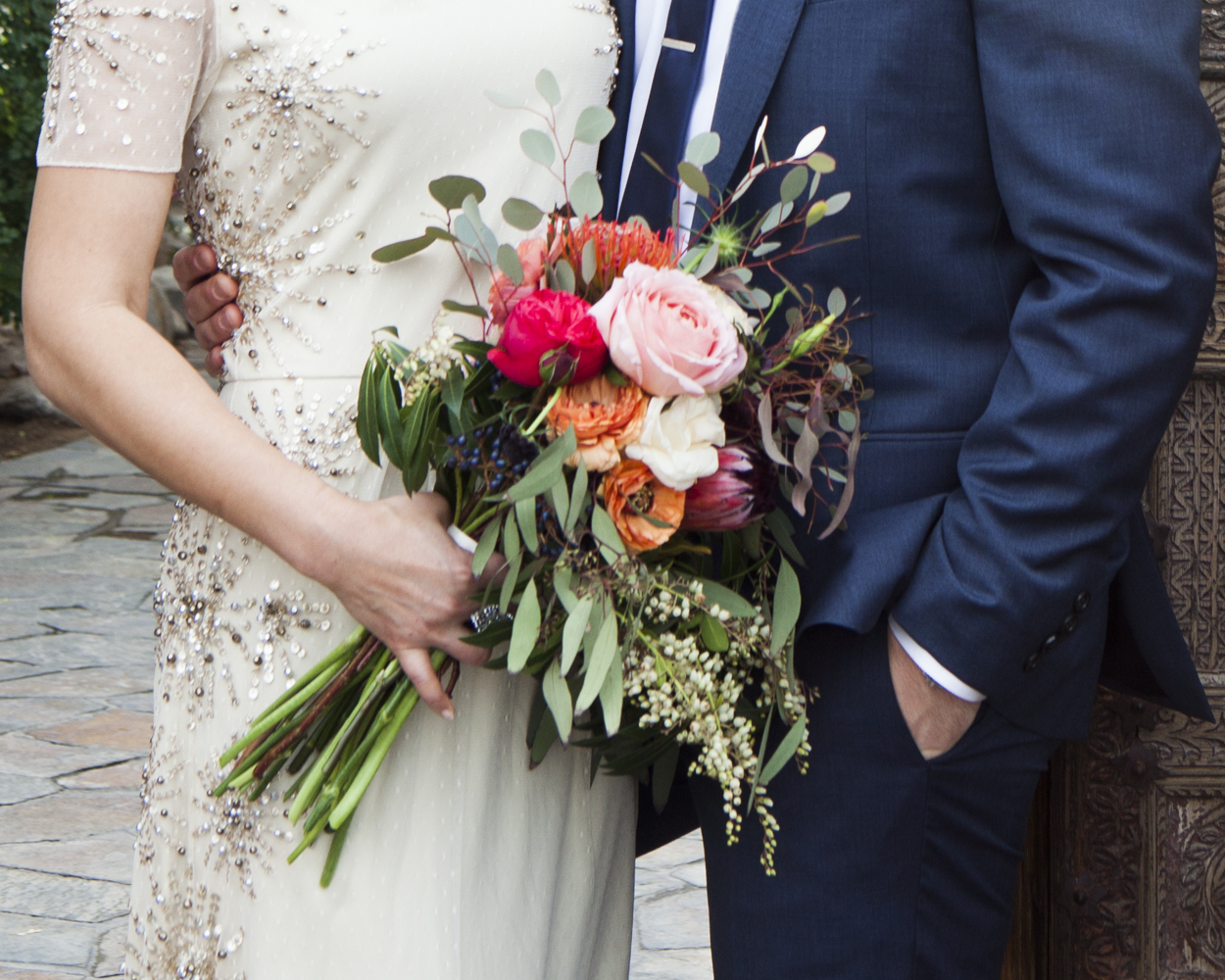
When your bouquet is finished, take a white ribbon and wrap the stem a couple times over the floral tape, and secure the ribbon with a pin, sinking the end of the pin into a stem. You can also tie the ribbon instead if you want to keep the ribbon long, like in the picture above. If you pin it in place it will be barely visible like the picture below. Keep the bouquet in water until you are ready to use it! When you take it out of the water for the last time, just pat the stems dry with a towel to keep you and your dress dry!
How to Make a Bare Stem Wedding Bouquet
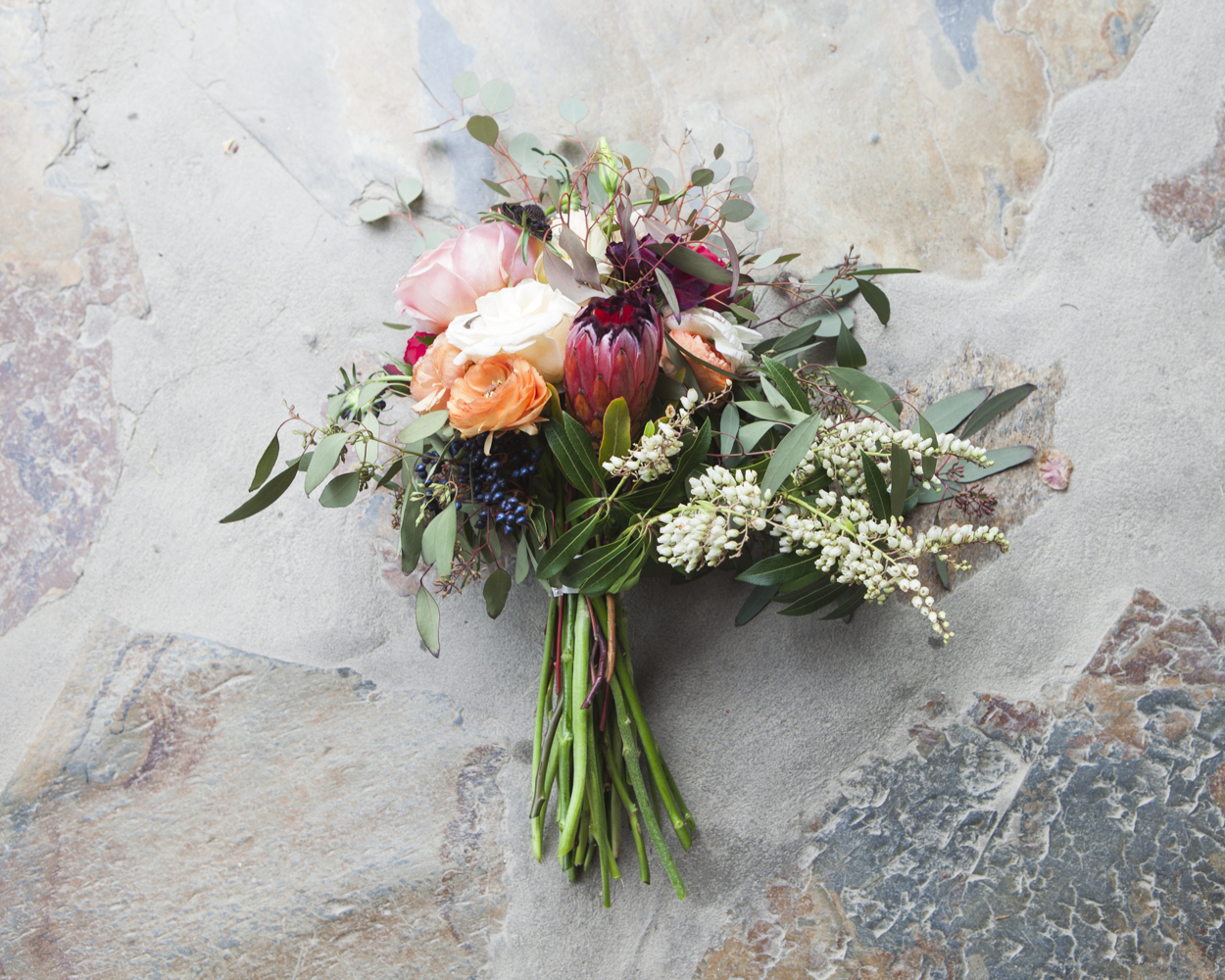
And there you have a wedding-ready bare stem bouquet!
Bare Stem Rustic Wedding Bouquet Tutorial

Tuesday, 25 March 2014

Pretty Candles for Mom


A new scented candle is always appreciated, but one that is made especially for Mom will light up the room with her happiness.


Turn ordinary candles into shining stars with family photos and embellishments. Print photos or digital designs onto tissue paper and cut out the images. Wrap the candles with the tissue paper and keep it in place with straight pins. A heat gun will melt the wax until it saturates and coats the tissue paper. A hidden brad embedded in the candle secures the flowers.
Surround any pillar candle with zigzags of wire. Choose colorful buttons that will match Mom's favorite room.


Small containers used as candleholders make striking mantel arrangements or centerpieces when grouped together -- perfect for Mother's Day.


(Better homes and gardens)

Monday, 24 March 2014

How to Use Twitter As a Promotional Tool

Twitter is a popular social media website that allows users to post "micro-blogs" of 140 characters or less. It began in 2006 and is now home to more than 300 million users. Many of these users are actually businesses that promote sales, customer loyalty and new products through their account. As with most social media outlets, consistency is the key to successful Twitter promotion. It is a good idea to create a personal account and become familiar with the way Twitter works, or appoint someone who will post to your account every day. This article will tell you how to use Twitter as a promotional tool.

  1. Use Twitter As a Promotional Tool Step 1.jpg
    1
    Create a Twitter account for your business. Make sure it is both the brand name of your company and includes the website name. For example, if your business is called Cooper City Promotions, and your website is coopercitypromo, you would want your account to be www.twitter.com/coopercitypromo.
    • To set up an account, go to twitter.com and click the "Sign up for Twitter" button. Input your company description, website, location and upload your logo. Fill out your profile as completely as possible, including common search terms that people use to find your company in the bio section.Use Facebook to Research Your Family Tree Step 1.jpg
  2. 2
    Use your twitter link on all marketing materials, including business cards, letterhead, website, Facebook account, invoices and all other online or printed promotions. On your next email blast, include a section that asks people to find or follow you on Twitter.
  3. Understand Twitter Step 2Bullet1.jpg
    3
    Master the use of the hashtag. The hashtag is the "#" symbol followed by a keyword. This can be as specific as your business name, such as #coopercitypromo, or it can be keywords that people use to find your business, such as #marketing, #coopercity or #advertising.
    • Include a hashtag with #deal, #coupon or #bargain, whenever you are having a sale or promotion. There are many aggregate websites that gather all of the day's tweets that include these keywords. Also regularly include any other popular search terms that people use to find your website along with a hashtag on your daily tweets. If you tweet a coupon code, you can track your sales by all the people who use the Twitter-specific code.
  4. Use Twitter As a Promotional Tool Step 4.jpg
    4
    Find people to follow by using a twitter directory like twellow or Justtweetit.Most Twitter users receive an email when someone new is following them. Add a few people every day, and many people will choose to follow you in turn.
  5. Use Twitter As a Promotional Tool Step 5.jpg
    5
    Avoid hard sales tactics. Twitter accounts that pressure or only post sales and business-related content rarely keep a large amount of followers for long. Post links and statements that show you are in touch, and on the cutting edge, of industry innovation and standards.
    • If you have a strong relationship with your local community, post stories and links that support the community, other businesses and organizations. This will encourage people from your neighborhood or city to follow you for the latest updates, and they will receive your promotions at the same time.
  6. Understand Twitter Step 3.jpg
    6
    Encourage employees to communicate with the company Twitter account using their personal accounts or specially-made company twitter accounts.Use the "@" symbol before the Twitter user name to direct message people or mention them in your tweets.
  7. Use Twitter As a Promotional Tool Step 7.jpg
    7
    Announce all new events or products on Twitter, using product shots and details. Schedule your tweets so that they correspond with press releases for products or events. Make a hashtag for each event, such as "#coopershow."
  8. Save Money on Your Cell Phone Bill Step 2.jpg
    8
    Use Twitter-based contests to promote your product. Many businesses have started to give away large items, like gift cards, phones or cameras to people who retweet or direct message their Twitter account during a day or week. The following are good general guidelines to follow when holding a Twitter contest:
    • A contest will not have much impact if you have a boring Twitter account. You must first have a strong base of followers to create buzz about your company's contest. Follow new people every day, target people in your area or demographic and put time into creating a fun Twitter presence, and then hold a contest.
    • Frequent contests of lower value are better than infrequent contests at a high value. Once users understand that you hold regular contests, they are more likely to follow your account on a daily basis, occasionally retweeting your content, and gaining you followers by referral.
    • Be honest with your followers about what they will win. There were complaints recently when companies said they were giving away iPhones, but they were really sending gift cards.
    • You can hold your contest in a number of ways. You can offer it to anyone who retweets, anyone who direct messages you, anyone who uses your hashtag, or anyone who responds in a short time. You may want to try different strategies to see what results in the largest increase in followers or response.
  9. Use Twitter As a Promotional Tool Step 9.jpg
    9
    Follow the "Trending Topics" on Twitter and use these common hashtags when they apply to you. Trending Topics are listed on the right side of the Twitter home page. Don't be afraid to use the hashtag a few times, if you can contribute good content or conversation.
    • Try to stay away from political trending topics. Kenneth Cole created controversy when he used the #Cairo hashtag to promote his new shoe line during the Cairo riots.
  10. Use Twitter As a Promotional Tool Step 10.jpg
    10
    Employ a social media service, if you are unable to do all of this promotion within your company. Companies, such as Submitinme or coTweet, provide marketing services that focus on social media outlets like Twitter.
  11. Use Twitter As a Promotional Tool Step 11.jpg
    11
    Buy a Twitter Promoted Tweet to try to target a new market. Promoted Tweets appear on top of the screen when a user searches for related topics. Go to www.business.twitter.com/advertise/promoted-tweets and use a special link, like 1 created through Google Analytics, to track website activity from Twitter

Friday, 21 March 2014

DIY ~ Cupcake Crumble in a Jar

cupcake crumble
Cupcake Crumble
The latest kitchen trend? Cupcakes in a jar! Or so it was said. I love it! And then I had to think about it. Cupcakes in a jar? Sounds fun. Sounds simple. But as I started to ponder this foodie phenomenon,  I began to have more questions than answers…

How do you get the cupcake in the jar? Do you bake the batter in the jar? Will the jar hold up to the heat in the oven? Do you bake the cupcakes separately and then place them in the jars? How do I get the cupcake out to eat it? How long can these cupcakes last? Do I need a big jar or a small jar? Where do I find a small cupcake-sized jar anyways?

..And then I decided to stop thinking and start playing. I liked the idea of “cupcake in a jar” but I wanted to put my own spin on it – the result is my Cupcake Crumble in a Jar. With this recipe, leftover cupcakes get an instant dessert makeover. It’s a cupcake-lovers go-to recipe for “in a jar” fun..
Leftover Cupcakes Get a Makeover.
leftover vegan cupcakes
Leftover vegan cupcakes needed a facelift.
Cupcake Crumble in a Jar
If you love cupcakes, and really who doesn’t, you probably bake them by the dozen, share the freshly made delights, keep them for a day or two and then the fun is over. But sometimes you end up with two or more cupcakes a day later and since cupcakes can dry out rather quickly – you are faced with a terrible predicament: do I toss these cutie cupcakes?? Now you don’t even have to let that thought cross your mind because you can easily whip up my Cupcake crumble in a jar to refresh and moisten leftover cupcakes.
Cupcake Crumble in a Jar
Here is what you will need:
* 2 or more leftover cupcakes – pop off the frosted flat tops (set aside) and crumble up the cake bottoms
* whip up your favorite vanilla or chocolate (or both) pudding
* a clean medium sized glass jar with lid – not too tall (I used a short and stout roasted red pepper jar)
* optional additional crumble ingredients (fudge sauce, nuts, marshmallow creme, canned fruit, berries and more)

layering the crumble
How To:
Now you start layering.
First add some pudding.
Then the cupcake crumbled bits.
Then another layer of pudding.
Then one of the frosted cupcake flat tops.
Then more pudding.
More crumbles.
(Add additional ingredients along the way if you’d like)
Last layer is one of the frosted cupcake flat tops.
Close the jar lid and chill in the fridge for a while before serving. This way the pudding will help moisten the crumbles.
Serve by spooning into dessert cups.

lid on cupcake
lid on.
Cupcake Crumble in a Jar
There! You just turned your leftover cupcakes into a snazzy new dessert treat – fit to please those “cupcake in a jar” enthusiasts!

Tuesday, 18 March 2014

WOW for MOM

Here’s a fun card for Mom at Mother’s Day. It can be made for Grandmas, or other Mother’s you think are fabulous. It’s also a great activity for students to do in class, to take home to their Moms.
Fold your paper in half. Write the word MOM at the bottom of a paper, cardstock paper would work best. Then open up the card and trace over the same “MOM” letters on the inside. It will form the word “WOW” at the top.
Mom’s won’t expect to see the trick word on the inside. When they open up the card and see the word “WOW”, they’ll feel wonderful!
I also like to spell words with the letters W O W too. Like Wise Older Woman, Wacky OriginalWatcher, Wildly Offroad Wonderer, or Wonderful Omniferous Woman (omniferous means bearing everything).


Monday, 17 March 2014

How to Share Photos on Twitter

Posting photos on Twitter allows you to share photos and other images in real-time with your Twitter friends and followers. After your photo has been published, your Twitter followers will also have the ability to retweet and share your photos with their own friends and followers. Continue reading this article to learn more about the process for sharing your photos on Twitter.

Steps

  1. Share Photos on Twitter Step 1.jpg
    1
    Log in to your Twitter account with your username and password. If you have not created a Twitter account yet, sign up.
  2. 2
    Type a new tweet into the box labeled "Compose new Tweet." This can be found on the left-hand side of the "home" screen. Alternatively you can press "n" on your keyboard to compose a new tweet.

    Share Photos on Twitter Step 2.jpg
  3. 3
    Click on the grayed-out icon that depicts a camera located below your tweet on the left. A pop-up window will display prompting you to upload a photo from your computer.

    Share Photos on Twitter Step 3.jpg
  4. Share Photos on Twitter Step 4.jpg
    4
    Navigate to the photo you want uploaded from your computer and into Twitter. The image you choose must not exceed 3 megabytes in size, and must either be in the ".gif," ".jpeg," or ".png" file formats.
    • If your photo does not meet these requirements, consider changing the file formator downsizing your photo in your favorite photo editing software.
  5. 5
    Click on your photo to select the image and have it added to your tweet. Your image will appear below your tweet in the size of a thumbnail and the camera icon will now be blue.

    Share Photos on Twitter Step 5.jpg
  6. 6
    Verify that your tweet has enough characters to accommodate the photo you added. When you add a photo, a shortened website link will appear in your tweet that your friends and followers can click on to see your photo in their browser. The website link for your photo will use a portion of the 140 characters allowed for a tweet.

    Share Photos on Twitter Step 6.jpg
    • If the character count for your tweet is below 0 after adding your photo, adjust and shorten the text you typed for your tweet so the link for your photo will fully display in your tweet.
  7. 7
    Click on the "Tweet" button to publish your photo to Twitter. Your friends and followers will now have the ability to view your photo after clicking on its link in your tweet.

    Share Photos on Twitter Step 7.jpg

Thursday, 13 March 2014

DIY : Mother's Day Mini-Book Gift Idea

This is a tutorial on how to make a mini-book for you mother, since Mother's Day is approaching, you don't want to forget her day!


I made it pocket-size, 2"x3.5" (also business card size). I made a list of 10 things (of course there are way more than 10:)) that I wanted to include in the book. I designed some cards with the numbers 1-10 on them (see below) and then went through my stash of paper, old magazines, etc. to find images/papers to cut out to also go in the book. I found images/papers that relate to memories or characteristics about my mama. For example: I found a picture of lighthouses- one of my favorite memories from my childhood was going to the beach with my family and seeing a lighthouse. I also cut out sheet music because my mama would sing to us, and some retro-kitchen-ey paper- she loves to cook (and is an amazing one at that:)), as well as some old sewing pattern paper because I remember being amazed that she could sew and mend our clothes. :) To have a few more papers mixed in with my "10 Things", I recycled some old thank you notes, writing paper, and even cut up some used security envelopes(security envelopes come in all sorts of patterns and colors!). I wanted to put these in to glue pictures to, jot extra notes or memories on, etc.
Want to make your own? Below are the cards I designed to use in the book. Simply click on the image to enlarge it, right click, save and print. The gray lines are the cutting guides, and the circle in the upper left hand corner is where you hole-punch it.

All you need is:
+ Cardstock to print the cards on
+ A hole punch
+ A binder/jump ring (available at your local craft or office supplies store) -- or your could use ribbon!
+ A pen to write with
+ Pictures

You can also use these cards for any loved one in your life- they don't necessarily have to be only for Mother's Day. :) Enjoy! :)


Wednesday, 12 March 2014

5 Ways to Use Pictures to Tell Visual Stories With Social Media

Are you sharing your stories with your fans?
Do you use pictures in your social marketing?
People want pictures in their social channels.
When done right, these pictures become visual stories.
In this article, I’ll show you how five brands are using pictures to share their stories and why that’s important.

Great Marketers Are Great Storytellers

As a marketer, you know the importance of stories, but do you know how to tell a story with few or no words at all?
“We’ve now entered a phase in which visual communication is supplanting the written word,” says Bob Lisbonne, CEO of Luminate and former SVP of Netscape.” Some are now calling it the dawn of the Imagesphere.”
Our brains process pictures 60,000 times faster than text. When your brand shares a picture, your fans decide in a split second whether they want to see more.
People upload about 250 million photographs to Facebook every day, and Twitter has become more visual, showing photos and videos right in your feed.
The growth of other image-rich sites like Pinterest has been stratospheric, and apps such as Instagram, Vine and even Snapchat aren’t just for teenagers–savvy marketers are using them too.
These channels help you tell stories that create engagement, build communities and ultimately help nurture brand loyalty and long-term relationships with customers.
Below I’ll show you how five brands are using visual stories to engage their audiences.

#1: Give Life to Your Products

Stories don’t have to be history and they don’t have to be long. In fact, quick-moving social platforms encourage using fewer words. Twitter has always limited you to 140 characters, but now you can add a picture or video to your update to reinforce your message.
Whole Foods Market used this picture on Twitter to emphasize how their products fit into customers’ lifestyles:
whole foods breakfast sandwich
Whole Foods Market connects with followers by sharing pictures of their products.
Over 3.5 million fans follow @WholeFoods, in part because the brand shares great ideas on how to maintain a healthy lifestyle.
Whole Foods’ tastebud-worthy pictures aren’t just for show; they subtly reinforce that all of the ingredients to make a delicious meal are available at their stores.
Tip: Use high-quality images or videos to give a “lifestyle” angle to your marketing.Show your customers how they can use your product in their everyday lives.

#2: Tell Your Other Story

Whether you want to share your culture, show how you design a product or celebrate some of the unsung heroes of your business, photos tell a more eloquent story than any copy ever could.
Your fans know what you look like on the outside. If you want to make a deeper connection with them, show your brand’s human side with a peek into your everyday humdrum.
Letting your fans see an alternate perspective gives them a new, more personal way to connect with your brand.
ABC World News uses Instagram to show a lighter side of the network that truly connects with its audience. Sharing informal moments makes anchors, reporters and their teams appear more relatable.
abc news instagram image
A look behind the scenes helps your brand connect on a personal level.
ABC World News shares these personal glimpses across all of their social networks, but Instagram lends itself especially well to the in-the-moment, spontaneous fun.
Tip: Don’t just take photos of perfect “on-air” moments. Give depth to your brand by showing the real work that goes into researching, designing and marketing your products. Those pictures convey your passion far better than an oh-so-perfect photo shoot.

#3: Celebrate Your Community’s Passion

Why do your customers buy your products instead of your competitors’? What is the lifestyle that goes hand-in-hand with your brand? As a marketer, you know the answers to those questions and how they define your audience.
Too many brands only use Pinterest as a way to show off their products and services. But the most successful companies on Pinterest tell the story their customers want to hear.
For example, at Random House, Inc., they know that books aren’t a product, they are a way of life for their customers. They use images to capture the entire philosophy of books, reading and literary interests.
Random House, Inc.’s 1.5 million Pinterest followers appreciate that and are eager to follow boards like What Would Jane Austen Do?, Bookish Nooks and Literary Weddings.
random house pinterest image
Know your audience’s passions and give them the story they want.
Tip: Highlight the things your customers love, celebrate the communities where you live, share what causes are close to your heart and show what inspires you.

#4: Bring Your Brand to Life With Video

If you’re only using YouTube as a repository for your ‘official’ advertising, you’re missing the boat. You can do so much more with video—and give people a reason to subscribe to your channel.
Beloved tech brand Apple is a master at creating videos their fans want to watch, share and comment on.
For example, this video, which has over 3 million views, gives a tour of Apple’s new Touch ID fingerprint identity sensor—a tech development they know their fans are interested in.
)

Show off exclusive product features (and their stories) to wow your audience.
What sets Apple apart is that they don’t just show you the new feature, they show you the stories behind innovations; why they were necessary and how they make lives better. Fans identify with those stories because it’s their problems being solved.
Tip: Use videos to create a story around your product features. Share employee and customer passion to relate with your audience and let them know their interests are your driving force.

#5: Cater to an Individual Audience

Sometimes, when you try to reach everyone, you end up reaching no one. In those cases, it helps to set up channels for specific niche audiences and just tell the story that’s relevant to them.
If you’re trying to reach the elusive age 16-24 demographic, Tumblr is a perfect choice to show your visual journey, one photo at a time.
Target’s style blog on Tumblr is successful because it shares only the images that their younger, female, more fashion-conscious followers are interested in.
Under each image or set there’s a link back to the product page, which is a very clever way of selling without the hard sell.
target tumblr image
Use social platforms geared toward the community you want to reach.
Tip: Don’t use a one-size-fits-all story. Focus on a specific niche by telling a story relevant to them. If you’re having fun with it, they will too, and they may be more likely to buy. Don’t forget to drive traffic back to particular sections of your website.
Over to You
Social media is a gift to storytellers: You can tell a story in more interesting ways than ever before and reach a much larger audience.
Using images and video to tell your story gives a new dimension to your brand and builds closer relationships with your fans, followers and subscribers.
What do you think? How have you used pictures to tell a bigger story? How has your community responded to your visual content? Share your experiences and thoughts in the comments below.

Source.